
Neutralize green without flattening everything
The preset targets green and yellow-green contamination, washed black levels, low contrast, and filter grain. It also asks for believable saturation instead of turning every warm tone orange.
Use our Matcha Filter Remover to reduce the green or yellow-green cast, bring skin tones back toward a believable range, and recover cleaner contrast without asking AI to redesign the person in your photo.
Project-owned demo loaded — replace it with your photo
The demo begins with a matcha-style green portrait and its corrected result. Keep the preset selected, replace the example with your own photo, choose the original aspect ratio, and generate a natural-looking correction.
Result
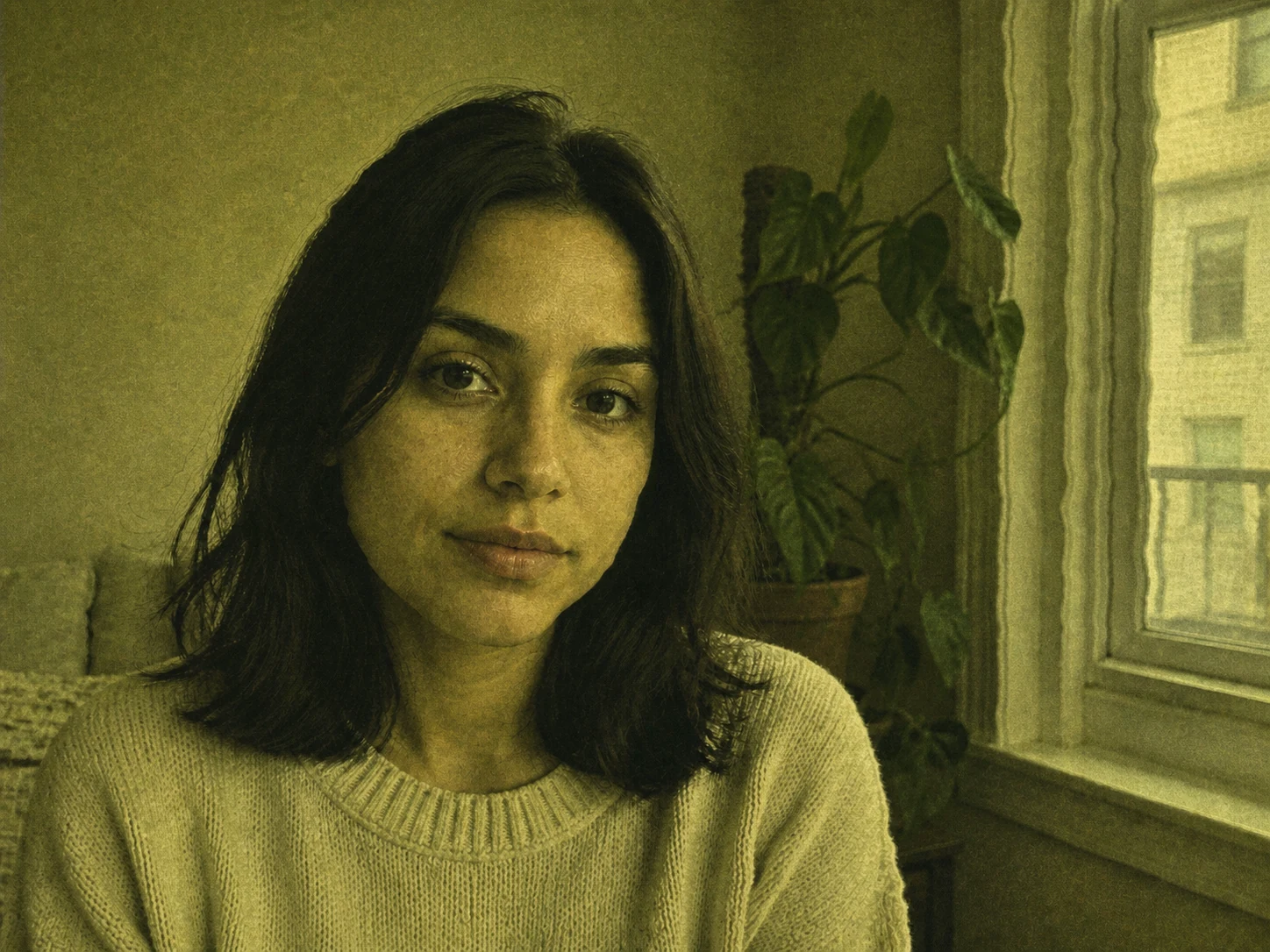
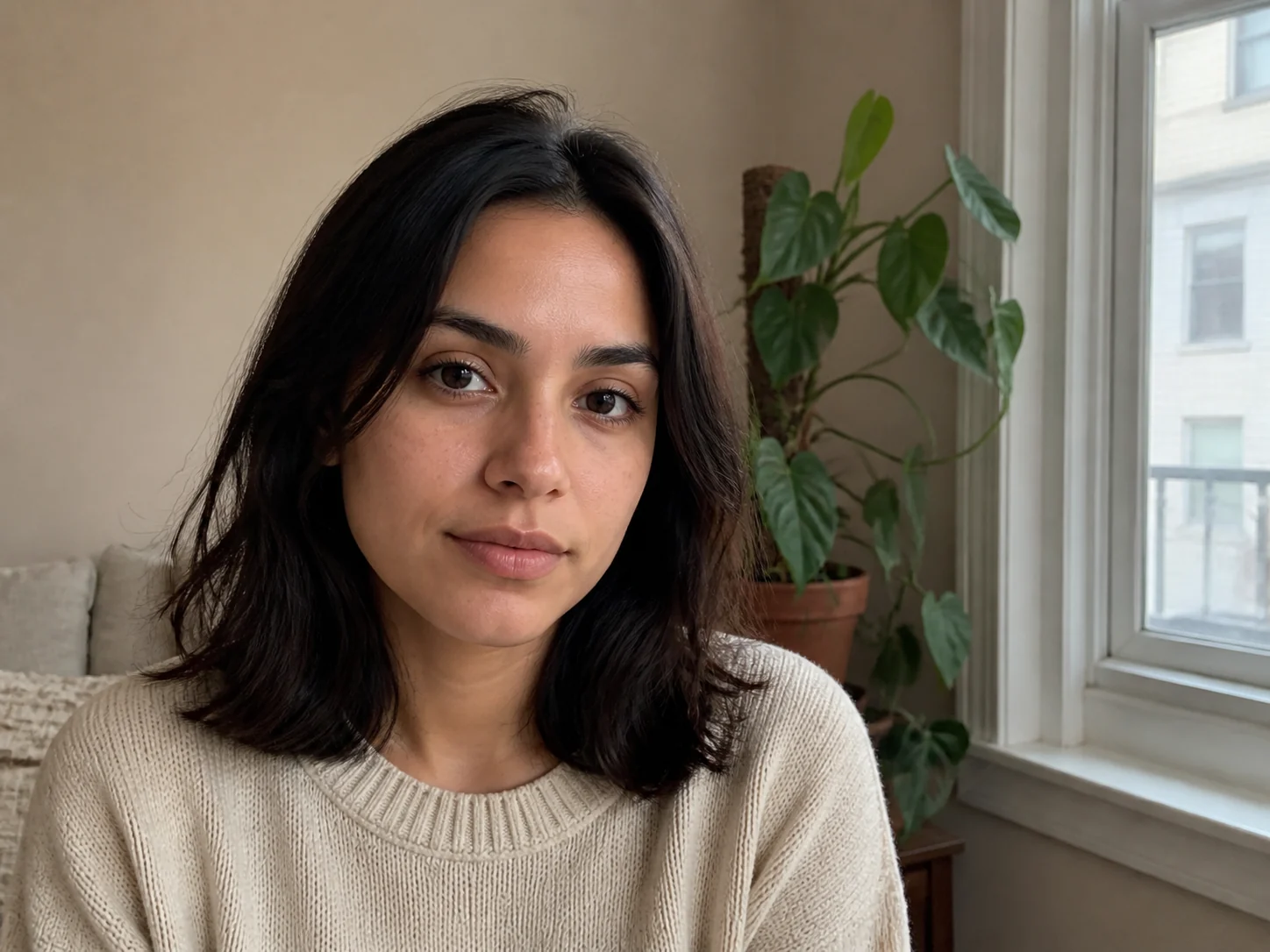
Correct the cast, protect the photo
A saved TikTok photo no longer contains a removable filter layer. The useful job is careful color correction and, where information is missing, restrained reconstruction that keeps the original scene recognizable.
The preset targets green and yellow-green contamination, washed black levels, low contrast, and filter grain. It also asks for believable saturation instead of turning every warm tone orange.
The edit prompt locks identity, facial features, expression, hairstyle, pose, clothing, framing, lighting direction, and background. That reduces the common failure where an image editor invents a different face.
Color that was clipped, compressed, or covered by an effect cannot be recovered exactly. The output is a plausible, natural correction—not proof of what an unseen original looked like.
What the preset corrects
A convincing result needs several linked corrections. Moving a global green channel alone can damage foliage, clothing, and shadows, so the preset describes the whole visual target while protecting scene details.
White balance
Reduce the green and yellow cast while keeping neutral objects neutral and avoiding a magenta compensation shift.
Skin tone
Restore believable warmth and natural variation without beauty smoothing, plastic texture, or a new face.
Contrast and shadows
Lower the lifted black level, reopen readable shadows, and keep highlights soft rather than creating harsh HDR edges.
Grain and detail
Reduce filter-added grain carefully while retaining hair, pores, fabric, and background texture that belongs to the photo.
Three simple steps
The page sends one reference image through the site's existing image-to-image editing workflow with a dedicated, identity-preserving color-correction prompt.
Choose the clearest available JPG, PNG, or WebP. A higher-resolution source with visible eyes, skin, hair, and background gives the model more real detail to preserve.
The preset requests neutral white balance, natural skin, normal contrast, lower green contamination, and less filter grain while locking identity and composition.
Inspect the face, hairline, hands, clothing, background geometry, and color. Regenerate only if the correction is useful but a protected detail changed.
Better input, better correction
Honest output limits
Once a filter is baked into pixels, some original color, texture, and shadow detail may be gone. Strong AR reshaping, stickers, clipped highlights, or very low resolution can force the model to infer content rather than simply correct color.
This preset is best for the green cast, grain, washed contrast, and altered skin color associated with the Matcha look. It does not guarantee exact identity recovery from a heavily warped or obscured face.
Every plan unlocks the same Filter Remover. Yearly billing cuts the list price by up to 25% and lowers the cost per restore.
Same Basic plan, billed yearly at the lowest Basic rate.
Includes
Best balance of yearly volume and price per restore.
Includes
Maximum yearly volume at the lowest price per restore.
Includes
Frequently asked questions
What can be corrected, what cannot be recovered exactly, and how to judge whether the generated result stayed faithful to your photo.
No. A saved or screenshotted image contains only the filtered pixels. The tool can neutralize the cast and reconstruct a plausible natural version, but information destroyed by clipping, compression, reshaping, or overlays cannot be retrieved as ground truth.
The name is commonly used for a viral green or yellow-green, grainy, low-contrast look associated with TikTok posts. The exact strength varies by source, export, screen capture, lighting, and any additional edits applied afterward.
The preset explicitly asks the model to keep identity, facial features, expression, pose, hair, clothing, framing, and background unchanged. Generative editing can still drift, so compare those details carefully before using or sharing the result.
Yes, but screenshots usually contain less color and texture than the original saved photo. Crop away interface chrome first, use the highest-resolution capture available, and expect more reconstruction when the source is small or heavily compressed.
The dedicated preset focuses on color, contrast, skin tone, and grain. Heavy face reshaping and objects that cover pixels are different restoration problems; use the general filter or sticker-removal workflow and review inferred content especially carefully.
Start with Auto aspect ratio, 1K resolution, and the standard output. Higher settings can improve export size but do not recreate detail absent from the source. A clean original upload matters more than an oversized generated file.
Load your clearest saved photo, keep the dedicated preset selected, and review the correction side by side before downloading.
Correct a Matcha photo